
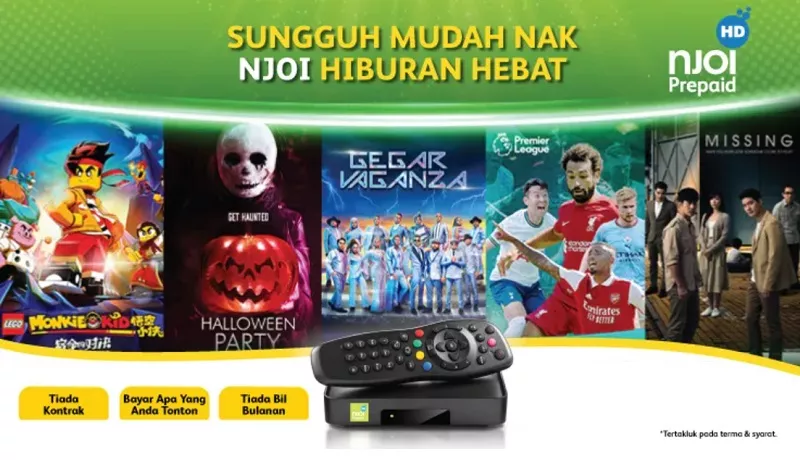
Perkhidmatan TV satelit percuma dari Astro. Nikmati hiburan, berita, pembelajaran, maklumat dan banyak lagi.

Gambar untuk ilustrasi sahaja.
Nikmati percuma ke 15+ saluran TV & 10+ saluran radio.
* Tertakluk kepada terma dan syarat Astro.

Langkah-1 |
Langkah-2 |
Langkah-3 |
Pilih pakej & mendaftar dalam talian. |
Duduk kembali & tunggu pemasangan. |
Nikmati Astro / Broadband baru anda! |
Perkhidmatan TV satelit percuma dari Astro. Nikmati hiburan, berita, pembelajaran, maklumat dan banyak lagi.
Gambar untuk ilustrasi sahaja.
Dekoder baru sahaja tanpa piring satelit & kabel. Anda mesti ada piring satelit Astro/Njoi dan kabel terpasang dan berfungsi baik.
Termasuk pemasangan.
Dekoder baru lengkap dengan piring satelit & kabel.
Termasuk pemasangan.
Mendaftar untuk
| Njoi Astro |
Cari jawapan anda di sini.
Kami menyediakan perkhidmatan untuk mendaftar Astro dan Broadband untuk anda.
Anda boleh mengelakkan memandu dan beratur di kaunter jualan. Kami adalah peniaga yang boleh memproseskan pendaftaran anda dalam talian.
Anda tidak akan dicaj untuk mendaftar di sini. Tidak ada maklumat kad kredit yang diperlukan. Caj adalah sama seperti yang anda mendaftar di kaunter jualan.
Yang pertama, anda boleh mendaftar dalam talian di sini, kami akan menghubungi anda dengan segera semasa waktu perniagaan. WhatsApp / E-mel / Fax salinan fotokopi IC (untuk warganegara Malaysia) / Pasport (untuk orang asing) kepada kami. Apabila kami menerima semua maklumat, kami akan memproses pendaftaran anda segera.
Sebaik sahaja kami menerima pendaftaran anda dengan maklumat lengkap, kami akan memproses permohonan anda dengan segera pada waktu perniagaan. Kontraktor dari pembekal perkhidmatan kemudian akan menghubungi anda untuk pelantikan pemasangan setelah permohonan anda diluluskan.
Nikmati penjimatan yang lebih besar dan pembayaran bil tanpa gangguan dalam satu bil untuk Astro dan Broadband. Anda dapat menikmati Astro dan Broadband dengan harga potongan setiap bulan sepanjang tempoh kontrak 24 bulan.
Astro menawarkan pelbagai pakej TV termasuk Hiburan, Sukan, Filem dan Kanak-kanak. Anda boleh memilih pakej yang sesuai dengan pilihan tontonan anda serta menambah aplikasi penstriman pilihan jika tersedia.
Ya, anda boleh melanggan pakej TV Astro tanpa menggabungkan broadband. Namun, menggabungkan TV Astro dengan Fibre Broadband boleh memberikan penjimatan bulanan yang lebih baik serta kemudahan satu bil sahaja.
Untuk isi rumah kecil dengan penggunaan penstriman dan pelayaran ringan, 100Mbps biasanya mencukupi. Keluarga besar, pemain permainan dalam talian atau pengguna penstriman berat mungkin mendapat manfaat daripada pelan 500Mbps atau 1Gbps untuk prestasi lebih lancar pada pelbagai peranti.
Kebanyakan pelan TV dan Fibre broadband Astro disertakan dengan kontrak 24 bulan. Caj penamatan awal mungkin dikenakan sekiranya pembatalan dibuat sebelum tamat tempoh kontrak.
Ya, anda boleh menaik taraf pakej TV atau kelajuan broadband pada bila-bila masa, tertakluk kepada kelayakan dan liputan kawasan. Tempoh kontrak baharu mungkin dikenakan bergantung kepada naik taraf tersebut.
Bil bulanan anda akan dikeluarkan terus oleh Astro. Anda boleh menerimanya melalui emel atau mengaksesnya melalui akaun Astro anda. Pelanggan pakej gabungan akan menerima satu bil gabungan untuk perkhidmatan TV dan broadband.
Kaedah pembayaran termasuk perbankan dalam talian, debit automatik, kad kredit atau saluran pembayaran lain yang diluluskan oleh Astro. Pasukan kami boleh membantu anda semasa proses pendaftaran.
Jika anda mengalami gangguan perkhidmatan, anda boleh menghubungi khidmat pelanggan Astro untuk bantuan teknikal. Dalam kebanyakan kes, masalah boleh diselesaikan dari jauh atau juruteknik akan dijadualkan jika perlu.
Ya, pemindahan tertakluk kepada ketersediaan perkhidmatan di alamat baharu anda. Caj pemindahan dan pelarasan kontrak mungkin dikenakan bergantung kepada pelan anda.
Tidak, anda tidak memerlukan kad kredit untuk menghantar permohonan. Pengaturan pembayaran akan dibuat terus dengan Astro selepas perkhidmatan anda diluluskan.
Pakej TV Astro terpilih membenarkan tambahan pilihan seperti perkhidmatan penstriman bergantung kepada promosi semasa dan ketersediaan. Caj bulanan tambahan mungkin dikenakan.
Ya, router WiFi biasanya disediakan semasa pemasangan fibre. Model router mungkin berbeza bergantung kepada pelan kelajuan broadband yang dipilih.
Ya, kami akan menyemak liputan perkhidmatan di alamat anda sebelum meneruskan permohonan untuk memastikan broadband tersedia di kawasan anda.
Bagi warganegara Malaysia, sila sediakan salinan MyKad anda. Bagi warga asing, sila sediakan salinan pasport semasa menghantar permohonan broadband.
Selepas permohonan anda diluluskan, penyedia perkhidmatan biasanya akan menghubungi anda dalam tempoh 2 hingga 7 hari bekerja untuk menetapkan janji temu pemasangan broadband.
Kebanyakan pelan Astro Broadband disertakan dengan kontrak 24 bulan bermula dari tarikh pemasangan. Jika anda berpindah, kontrak 24 bulan baharu mungkin dikenakan di alamat baharu.
Ya, anda boleh memindahkan perkhidmatan broadband tertakluk kepada ketersediaan perkhidmatan di alamat baharu. Kontrak anda mungkin diperbaharui untuk 24 bulan lagi bermula dari tarikh pemasangan baharu.
Ya, anda boleh memohon untuk memindahkan peranti broadband di dalam rumah. Caj pemasangan bukan standard mungkin dikenakan dan perlu dibayar terus kepada pemasang selepas penilaian dibuat.
Ya, anda boleh bertukar ke Astro Broadband. Untuk mengelakkan gangguan perkhidmatan, disarankan untuk mengaktifkan perkhidmatan baharu sebelum menamatkan kontrak broadband sedia ada.
Pemasangan standard mungkin percuma semasa tempoh promosi, namun pemasangan bukan standard (contohnya pemindahan peranti atau pendawaian kompleks) mungkin dikenakan caj tambahan yang perlu dibayar terus kepada pemasang.
Pelanggan yang menggunakan aplikasi Astro Smart TV boleh menstrim kedua-dua saluran ini (CH549 Love Nature 4K dan CH805 Astro Sports UHD) sekiranya model TV mereka menyokong resolusi 4K UHD.
Sila ambil maklum bahawa model TV Sony berikut tidak menyokong resolusi 4K UHD:
a) Sony BRAVIA 4K GB
b) Sony BRAVIA 4K UR
c) Sony BRAVIA VH
*CH805 Astro Sports UHD hanya tersedia kepada pelanggan yang mempunyai kelayakan Sukan dalam pakej TV yang dilanggan.
Anda akan dapat melihat pakej baharu anda dalam masa 24 jam selepas melanggan. Sila ambil perhatian bahawa sekiranya anda seorang pelanggan Astro yang melanggan saluran HD, anda perlu menyambungkan kabel HDMI ke TV anda sebelum anda boleh menikmati saluran tersebut.
Ya, terdapat lima platform bil digital yang tersedia untuk semua pelanggan bagi memeriksa bil Astro mereka:
A. My Astro app
1. Muat turun aplikasi My Astro app
2. Log masuk dengan Astro ID anda
3. Pergi ke Akaun > Bil
4. Anda boleh menyemak jumlah bil, buat bayaran, muat turun penyata bil, dan melihat sejarah pembayaran - semuanya dalam satu aplikasi
B. My Astro Web
Sebagai alternatif, anda juga boleh guna versi laman web My Astro
C. Astro Quick Pay
1. Layari https://pay.astro.com.my
2. Masukkan Nombor Akaun Astro 10 digit anda dan ikuti arahan untuk melihat bil, status akaun, membayar bil atau menambah peringatan pada kalendar Google anda.
Nota: Anda tidak boleh muat turun bil atau melihat sejarah pembayaran melalui Astro Quick Pay. Untuk pengalaman yang lebih baik, sila muat turun aplikasi My Astro app.
D. IVR
1. Hubungi +603-9543 3838
2. Tekan 1 untuk pertanyaan akaun
3. Masukkan akaun Astro 10 digit anda atau MyKad 12-digit
4. Tekan 2 untuk Pembayaran dan Pengebilan
5. Tekan 1 untuk menerima SMS dengan baki bil andadan pautan pembayaran dalam talian
Nota: Anda tidak boleh muat turun bil atau melihat sejarah pembayaran melalui IVR. Muat turun aplikasi My Astro app untuk pengalaman pengurusan bil yang lebih lengkap.
E. Auto-Debit
Sebagai alternatif, sila daftar ke Auto-Debit dengan mengikuti langkah-langkah di sini untuk pembayaran mudah.
💳 Nak urus bil Astro anda dengan mudah?
📱 Muat turun My Astro app sekarang untuk:
- Lihat dan muat turun penyata bil
- Semak sejarah pembayaran
- Bayar dengan beberapa klik sahaja
The 2 months of access will expire exactly two months after your account is activated. For example:
Teknologi Mesh Wi-Fi menguatkan liputan Wi-Fi di rumah anda dan dapat menyingkirkan hampir semua "dead spot" Wi-Fi. Walaubagaimanapun, seperti semua teknologi, ada had yang harus anda ketahui.
Sambungan unit Mesh kepada router Wi-Fi dikendalikan secara automatik antara router Wi-Fi dan unit Mesh selepas ia mengira kedudukannya, router Wi-Fi dan unit Mesh di sekelilingnya (jika ada) telah disambungkan kepada router Wi-Fi.
Jika anda memasang mesh sendiri di rumah anda, kami sarankan anda untuk sentiasa sambungkan unit Mesh dengan router Wi-Fi sahaja, tanpa mengira berapa unit Mesh di rumah anda.
Adalah dinasihatkan, sekiranya anda mempunyai Mesh yang disambung ke Mesh yang lain, kelajuan Wi-Fi tidak optimum berbanding Mesh yang disambungkan secara terus ke router Wi-Fi. Tambahan sambungan (juga dirujuk sebagai bilangan "hop") di antara peranti anda kepada router Wi-Fi akan mengurangkan bandwidth dan mengakibatkan kelambatan sambungan.
Sila abaikan peringatan jika bayaran telah dibuat dan periksa jika anda mempunyai apa-apa baki yang belum dijelaskan di Astro Quick Pay.
Please reach out to the Simply South team by emailing them at [email protected] you have any enquiries or require assistance with the app.
If you would like to contact Astro, you may reach out to our Customer Service Centre by:
Yes, you can download ZEE5’s content on your device for offline viewing if you have subscribed to ZEE5 Premium. This feature is not available if you are not a Premium member. However, kindly note that some content is subjected to copyright which disables the download function on those selected videos.
No. The Sun NXT app subscription is currently only accessible within Malaysia.
Hanya Kad Kredit dan Kad Debit Visa, MasterCard, dan American Express yang dikeluarkan oleh bank di Malaysia dapat diterima oleh saluran bayaran milik Astro. Rakan kongsi rasmi pembayaran Astro mungkin mempunyai polisi yang berbeza - sila periksa dengan rakan kongsi pembayaran pilihan anda untuk maklumat terkini.
Multiroom (Smart TV) akan mencerminkan kelayakan langganan yang sama seperti langganan utama anda. Walau bagaimanapun, saluran radio dan aplikasi pihak ketiga seperti Netflix dan Disney+ tidak tersedia untuk ditonton melalui Multiroom (Smart TV).
No. We are rebranding our sports channel lineup for easy navigation of different sports categories, while maintaining the same content offerings. Hence, there will be additional channels to cater to all the sports content. Your subscription will not be affected, you will still be entitled to the sports content you’ve subscribed to.
ZEE5 is an Indian subscription video on demand and over-the-top streaming service run by Zee Entertainment Enterprises. With the app, subscribers can enjoy over 170,000 hours of on demand content from originals, movies, TV shows, music and more across 18 languages including English, Tamil, Hindi and Punjabi – all in a single destination.
After completing the subscription process, you will be able to access the iQIYI App on the Ultra/Ulti Box by following the steps below:
On your Ultra/Ulti Box
Step 1: At the Home menu, go to the App Rail and select "iQIYI"
Step 2: Click "OK" on your Astro remote
Step 3: While on the iQIYI App Home Page, navigate to "VIP account" located at the top left pane and click "Login". A page with a QR Code will be presented on your TV screen
Step 4: Scan the QR code using your mobile device and you will be directed to the iQIYI mobile app
Step 5: Follow the steps under "On Mobile App" below to pair your iQIYI account with your Ultra/Ulti Box
On the iQIYI Mobile App
Step 1: Download the iQIYI App on your mobile device
Step 2: At the login page, select "Continue with Astro"
Step 3: Log in with your Astro ID
Step 4: Click on the "Me" icon located at the bottom of the screen, and you will be presented with your iQIYI profile page
Step 5: Click on the in-app QR code scanner located at the top right corner of the screen
Step 6: Scan the QR Code displayed on your TV screen with the in-app QR code scanner. Refer to Step 3 under "On your Ultra/Ulti Box" above
Step 7: The screen on your TV will reload automatically and the iQIYI App home screen will be displayed. Now, you can enjoy the iQIYI App on your Ultra/Ulti Box!
Jika anda memilih untuk menurunkan taraf pek anda atau menamatkan perkhidmatan Astro sebelum berakhirnya terma kontrak anda, anda perlu membayar yuran pembatalan. Yuran pembatalan ini dikira berdasarkan pakej langganan anda, tempoh kontrak dan jenis dekoder. Jika anda membatalkan perkhidmatan anda/mengubah pakej anda apabila selesai terma kontrak anda, anda tidak perlu membayar apa-apa yuran pembatalan.
Each account can only have one Astro X3 pack subscription at a time, whether it is the Astro X3: Entertainment 12 Pack or the Astro X3: Sports 12 Pack. Multiple subscriptions under the same account are not supported. If you wish to subscribe to another plan, you can do so by creating a separate account using a different email address. Each subscription will be managed independently.
Tiada bayaran tambahan akan dikenakan jika anda berpindah. Tapi anda perlu memaklumkan Astro bahawa anda berpindah. Sila rujuk Terma & Syarat Am Astro untuk maklumat lanjut.
Semua peralatan Astro adalah hak milik Astro dan mengikut Terma dan & Syarat semasa kami, pelanggan dikehendaki memulangkannya selepas perkhidmatan Astro ditamatkan.
Anda boleh membeli filem Astro First dengan mudah melalui My Astro:
1. Muat turun aplikasi My Astro app atau layari laman web My Astro
2. Login masuk dengan Astro ID anda
3. Pergi ke Astro Store > Astro First
4. Pilih filem yang anda ingin sewa
5. Apabila sewaan anda disahkan, anda akan lihat saluran yang anda boleh tonton filem tersebut
Melalui WhatsApp
Purchase via SMS
*Perkhidmatan SMS tersedia untuk Maxis, Celcom, Digi dan U Mobile sahaja.
Dari antara muka Beyond PVR On Demand:
Dari antara muka Ultra/Ulti On Demand:
Dari aplikasi Astro Go (pembelian hanya terpakai untuk peranti Android):
*Kod pin lalai ialah 0000 jika anda belum pra-tetapkannya.
🎁 Nak sewa filem Astro First dengan lebih cepat?
📱 Muat turun My Astro app sekarang untuk:
- Cara filem & beli terus
- Sewa terus dengan satu sentuhan
- Dapatkan notifikasi filem baru
1. What is Netflix?
Netflix is a streaming entertainment service that offers a wide variety of award-winning TV programmes, films, anime, documentaries and more - on thousands of internet-connected devices. There's always something new to discover, and more TV shows and movies are added every month. The more you watch, the better Netflix gets at recommending TV shows and movies you’ll love.
Astro customers with an internet-connected Ultra Box or Ulti Box canaccess the Netflix app and watch Netflix content via their Astro Box. For more information about Netflix, visit the Netflix website https://about.netflix.com/en
2. Which new pack comes with Netflix?
Any packages with Entertainment Plus, Movies Plus & Sports Plus will include Netflix. The default Netflix offering is Netflix Standard (2 screens and HD viewing) as part of your Entertainment Plus, Movies Plus and Sports Plus subscription. You can upgrade up to Netflix Premium (4 screens and 4K UHD viewing) at a price of RM 10 (inclusive of govt. tax).
Note: For the above subscriptions, you may use the email address used for your existing subscription with Netflix to activate and the future billing for Netflix will be transferred to your Astro bundle charges. For users that are billed for Netflix through Apple before joining the Astro bundle, remember to cancel your Apple billing arrangement after activating the Astro bundle else you may be double charged for your Netflix account.
If you do not have a bundle which includes Netflix, you may also add anew Netflix subscription to your Astro Bill for billing convenience.
3. How do I know if my new pack includes Netflix?
If Netflix is included as part of your Astro pack, you will find it in My Astro app called “Apps” where you will be able to manage all the streaming apps you are entitled to.
Netflix will also be included in your Astro bill under “MonthlyCharges”
If you have added Netflix to your bill (Netflix Add-on), the Netflix subscription charge will appear in your Astro bill under “One-time charges” as Netflix App Subscription or Netflix Premium and will be charged monthly. You should refer to Netflix account Management for any changes to your Netflix subscription or should you wish to change to other billing methods.
4. I signed up for the EntertainmentPlus / Movies Plus / Sports Plus pack that includes Netflix. How do I activate my Netflix account?
You should have received an email or SMS with your activation details, please click on the link provided to be redirected to the Netflix website to activate your account.
Alternatively, you can also activate Netflix on your Ultra/Ulti Box. Please surf to CH 741 on your Ultra/Ulti Box (or click the Netflix button on your Astro remote) and follow the instructions on the screen.
5. Will I be able to access Netflix on my Ultra/Ulti Box?
You will be able to access Netflix on your Ultra and Ulti Box. However, kindly note that if you have an Ulti Box with a Netflix Premium subscription, you will not be able to watch content in 4K UHD and Netflix Spatial Audio.
6. How do I change my Netflix plan or account information?
You can make changes to your Netflix plans that are included in your Bundle through My Astro app.
You can change your non Astro-bundled a-la carte Netflix plan at any time by signing into Netflix.com and visiting the Account page, then selecting Change Plan to view and select available plans.
7. How many devices can I access Netflix at once?
Customers with a Netflix Premium account are allowed to watch on up to 4 supported devices in 4K UHD and Netflix Spatial Audio. In addition, Netflix Premium subscribers are also allowed to download shows to watch offline on 6 devices at a time.
Netflix Standard account customers are allowed to watch shows in Full HD and download them to watch offline on up to 2 supported devices at a time.
On the other hand,Netflix Basic account customers are allowed to watch shows in HD and download shows for offline viewing on only 1 supported device at a time.
8. You can add a new Netflix account to your bill through CH 741 or clicking the Netflix button on the remote control. Please enter the email address you would like to use for Netflix subscription and ensure the Billing partner is Astro.
If you would like to transfer your existing Netflix Account to be charged under Astro bill, please follow the steps below:
- Cancel your existing subscription with Netflix
- Once the remaining duration of your existing subscription has ended, you may proceed to subscribe for Netflix via Astro bill
- To subscribe, go to CH 741 and enter the email address used for your previous subscription with Netflix
- Once successfully completed, all existing settings and watching history on your Netflix account will be brought over
9. I have added a Netflix account to my Astro bill. Do I need to perform any activation?
By adding a Netflix account to your Astro bill, your Netflix account is already activated. No additional steps for activation are required.
10. When I create a new Netflix account to link to my Astro Bill, will I lose all my current watching history in Netflix?
You may retain your watch history and settings of your existing Netflix account by using the same email of your Netflix account during the linking of your Netflix account with Astro.
11. I forgot my Netflix username or password. How do I find my username or reset my password?
If you have forgotten your username or password, you may follow the steps below:
Step 1. Go to netflix.com
Step 2:Click on Sign In
Step 3:Click on “Need Help” to reset password
12. I forgot which Netflix account is associated with my Astro Account. How do I find that out?
You can recover your Netflix login here or at astro.com.my/Netflix
Step 1:Head to astro.com.my/Netflix
Step 2: At the FAQ section look for “How to recover my Netflix login email and password”
Step 3: Login with Astro ID
Step 4:Proceed to Netflix.com for account recovery
13. What will happen to my Netflix account if I cancel my Astro service or change my Astro package?
If your existing Netflix account is linked with your Astro subscription, your Netflix account will resume on the previous method of payment. If you linked a new Netflix account with your Astro subscription, cancelling Astro service will also cancel your Netflix account.
14. What happens to my Netflix account if I move to a new address?
There will be no changes to your Netflix account when you move to a new address.
15. How do I cancel Netflix?
If you are subscribed to Netflix via a bundle, Netflix comes by default as part of your entitlement.
If you are subscribed to Netflix as an a-la carte, the cancellation of Netflix can only be done via Netflix’s Website, etc. This change will reflect in your next bill.
From mid-December 2021 you may also cancel Netflix add-on through Astro Call Center.
16. I would like to change the Netflix account linked to my Astro pack. What should I do?
Please visit http://help.netflix.com to call or start a live chat with Netflix’s customer support agents. You will be assisted to unlink your Netflix account from your Astro subscription. After the process, you may link another Netflix account to your Astro subscription.
17. Will Netflix be automatically added to my Astro subscription?
Astro subscribers will have the freedom to subscribe to Netflix via Astro, or they may also choose to continue subscribing via Netflix directly on their own.
18. Will Astro censor Netflix content?
Absolutely not. Astro wants to give our members the convenience of having all their favourite series, exciting originals, vernacular signatures, live sports and local blockbuster movies all in one place.
19. I have signed up for two (2) or more main Astro subscriptions bundled with Netflix. Will I be entitled for multiple Netflix subscriptions?
Yes. You are entitled to separate Netflix accounts for each main Astro subscription e.g. If you have subscribed to Entertainment Plus, Platinum Pack, etc separately. Therefore, if you have more than one main Astro subscription with Netflix, you may choose to create multiple email addresses to activate each respective Netflix subscription. Please follow the steps provided to you via email/SMS in order to activate your Netflix subscriptions on the website.
20. Why should I subscribe to a Netflix on Astro vs direct subscription via the Netflix app?
- With numerous OTT entrants, consumers are suffering from subscription fatigue. In fact, they are looking for a one stop shop platform where OTT services are integrated in one place.
- Astro offers flexibility and convenience with new packs where customers can get the convenience of accessing a variety of content via Ultra Box as the single remote-control solution.
- In addition, there will be cost savings for Astro customers to purchase both Netflix and Astro together. Even better deals are available if customers also subscribe to broadband for a better-connected experience.
Hanya pemegang akaun dibenarkan untuk menguruskan kemudahan auto-debit. Namun, pemegang kad pihak ketiga berhak untuk menarik balik kad berdaftar mereka daripada akaun yang dipautkan dengan pengesahan yang betul.
If you’re facing issues updating your mobile number via My Astro, here’s how you can update your mobile number through your Set Top Box (STB).
Method A:
Method B:
If you’re still unable to update your mobile number, kindly reach out to us via our Feedback Form and a representative from our team will get in touch to assist you soon.
Astro berterusan menyemak cadangan rancangannya untuk memastikan kami boleh memberikan pengalaman terbaik untuk semua para pelanggan kami. Kami telah menghentikan multiroom 50% untuk membolehkan pelanggan Astro kami dengan yuran langganan RM100 atau lebih untuk membayar hanya RM49.99 yuran standard (dengan persedian box) untuk menikmati pengalaman Multiroom di Ultra atau Ulti Box.
Kami kesali atas sebarang kesukaran.
Ya, sesiapa sahaja boleh mencipta Astro ID. Namun, hanya pemilik akaun Astro yang boleh memautkan akaun tersebut kepada Astro ID mereka. Jika anda bukan pemilik akaun, anda perlu mendapatkan kebenaran daripada pemilik tersebut untuk melengkapkan proses pemautan.
Untuk pelanggan yang menggunakan kekerapan berlainan, caj RM10.00 dikenakan untuk setiap bil yang dijana.
Customers who subscribe to the HBO Max app as an ala carte add‑on via Astro after 1 March 2026 will have direct access to content such as HBO Originals, blockbuster movies, and exclusive series, all available via the app.
Sila hubungi bank pengeluar untuk maklumat lanjut. Astro tidak mengendalikan arahan tetap secara langsung. Sila gunakan kemudahan auto-debit kami jika anda ingin membuat bayaran dengan lebih mudah.
Nombor akaun anda akan digunakan untuk mengenal pasti/mengesahkan anda untuk semua Perkhidmatan Selepas Jualan. Anda juga boleh menggunakan nombor telefon bimbit/nombor Kad pintar Astro/nombor Kad Pengenalan atau nombor Astro box anda.
You can cancel your Simply South subscription here. Kindly note that we will not be able to offer a refund if you do decide to leave Simply South app before your subscription ends.
You will be able to enjoy your Viu Premium membership immediately upon purchase/choosing it
under your Asian Favourites bundle option. For further clarification, feel free to reach out to us
via WhatsApp by typing “Hi” at 03-9543 3838.
Astro First (Saluran 480) baharu adalah pawagam rumah anda yang menawarkan filem blokbuster tempatan dan antarabangsa terbesar. Dengan Astro First, anda akan dapat:-
• Nikmati nilai hebat untuk tontonan filem-filem blokbuster tempatan dan antarabangsa bermula pada harga RM15* untuk sebuah filem (tidak termasuk cukai).
• Strim setiap filem sebanyak yang boleh dalam masa 48 jam* (kecuali yang dinyatakan sebaliknya) pada bila-bila masa.
• Saksikan filem-filem tempatan atau antarabangsa dari studio Hollywood secepat 2-3 minggu dari tayangan pawagam di Malaysia, tambahan kepada judul-judul eksklusif yang hanya terdapat di Astro First.
Starting 29th April 2025 onwards, the Sun NXT app will be available on the Ultra/Ulti Box for all Astro customers to enjoy on the big screen, web app or/and mobile app.
Tidak, kami tidak dapat memproses jika permintaan dari pihak ketiga. Walau bagaimanapun, anda boleh mengemukakan dokumen-dokumen sokongan (contoh: surat kebenaran, sijil kematian, salinan kad pengenalan pihak ketiga) sekiranya pihak ketiga ingin membuat permohonan penamatan akaun bagi pihak pemegang akaun.
Ikuti langkah berikut untuk urus pek Astro anda melalui My Astro:
🔄 Nak urus langganan Astro anda dengan mudah?
📱 Muat turun My Astro app sekarang untuk:
- Urus langganan pek anda
- Dapatkan ‘add-on’ dalam beberapa minit sahaja
- Lihat maklumat kontrak anda
Tidak. Langganan Disney+ melalui Astro tidak boleh dipindahkan kepada langganan terus dengan Disney+.
Jika anda memilih untuk melanggan secara terus dengan Disney+, langganan tersebut akan diuruskan sepenuhnya oleh Disney+. Kami mengesyorkan agar anda menyemak susunan langganan Disney+ semasa anda terlebih dahulu untuk memastikan ia sesuai dengan keperluan tontonan anda.
Sila ambil perhatian bahawa jika anda melanggan secara terus melalui Disney+ dan pada masa yang sama mengekalkan langganan Disney+ melalui Astro, anda mungkin mempunyai lebih daripada satu langganan Disney+ yang aktif dan dicaj secara berasingan bagi setiap langganan.

